> ## Documentation Index
> Fetch the complete documentation index at: https://help.aichat.com/llms.txt
> Use this file to discover all available pages before exploring further.
# Getting Customer Feedback
> Customer Satisfaction (CSAT) and Net Promoter Score (NPS) surveys are vital for measuring customer experience and loyalty. This guide simplifies the process of activating and customizing these surveys in the AiChat platform.
### How to Activate Customer Survey
### **1. Access the Customer Survey Configuration**
1. **Log In:** Log into your AiChat platform account.
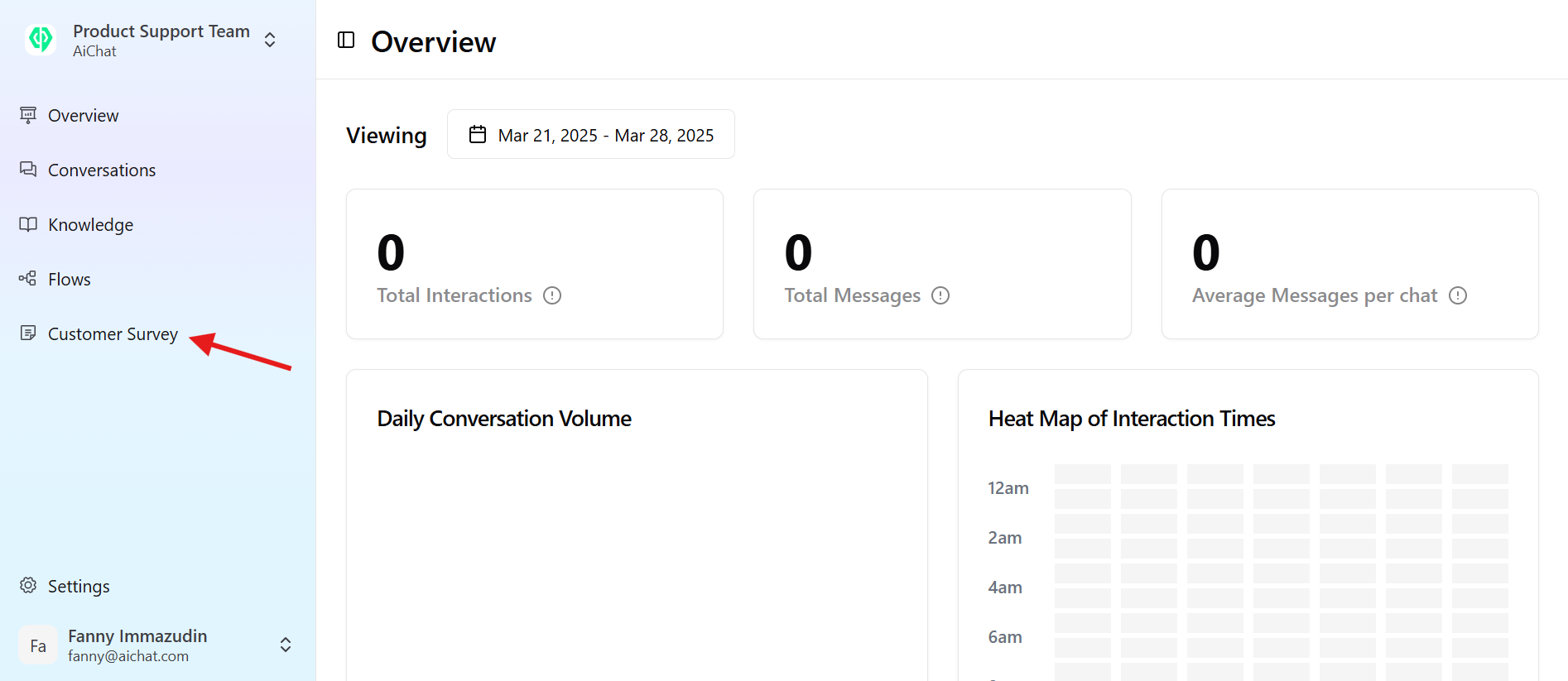
2. **Navigate:** From the AiChat dashboard, click **Customer Survey** on the main navigation panel.
 ### **2. Understand Survey Types**
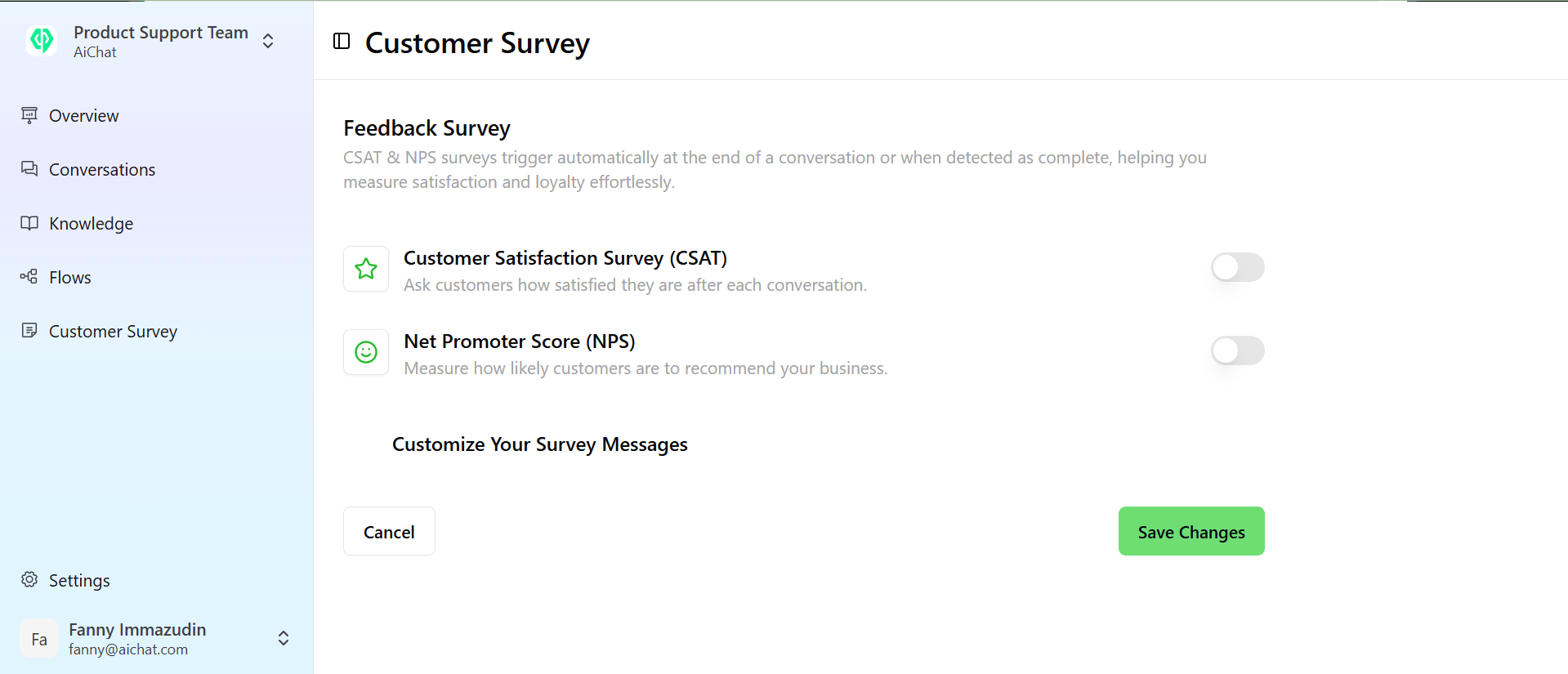
On the Customer Survey page, you will find two types of Feedback Surveys:
* **Customer Satisfaction (CSAT):** A 5-star rating system, often including an optional open-text feedback box for qualitative feedback.
* **Net Promoter Score (NPS):** Asks the customer how likely they are to recommend your business, using a thumbs-up/thumbs-down rating.
### **2. Understand Survey Types**
On the Customer Survey page, you will find two types of Feedback Surveys:
* **Customer Satisfaction (CSAT):** A 5-star rating system, often including an optional open-text feedback box for qualitative feedback.
* **Net Promoter Score (NPS):** Asks the customer how likely they are to recommend your business, using a thumbs-up/thumbs-down rating.
 ### **3. Activate the Surveys**
By default, both surveys are inactive and cannot be customized.
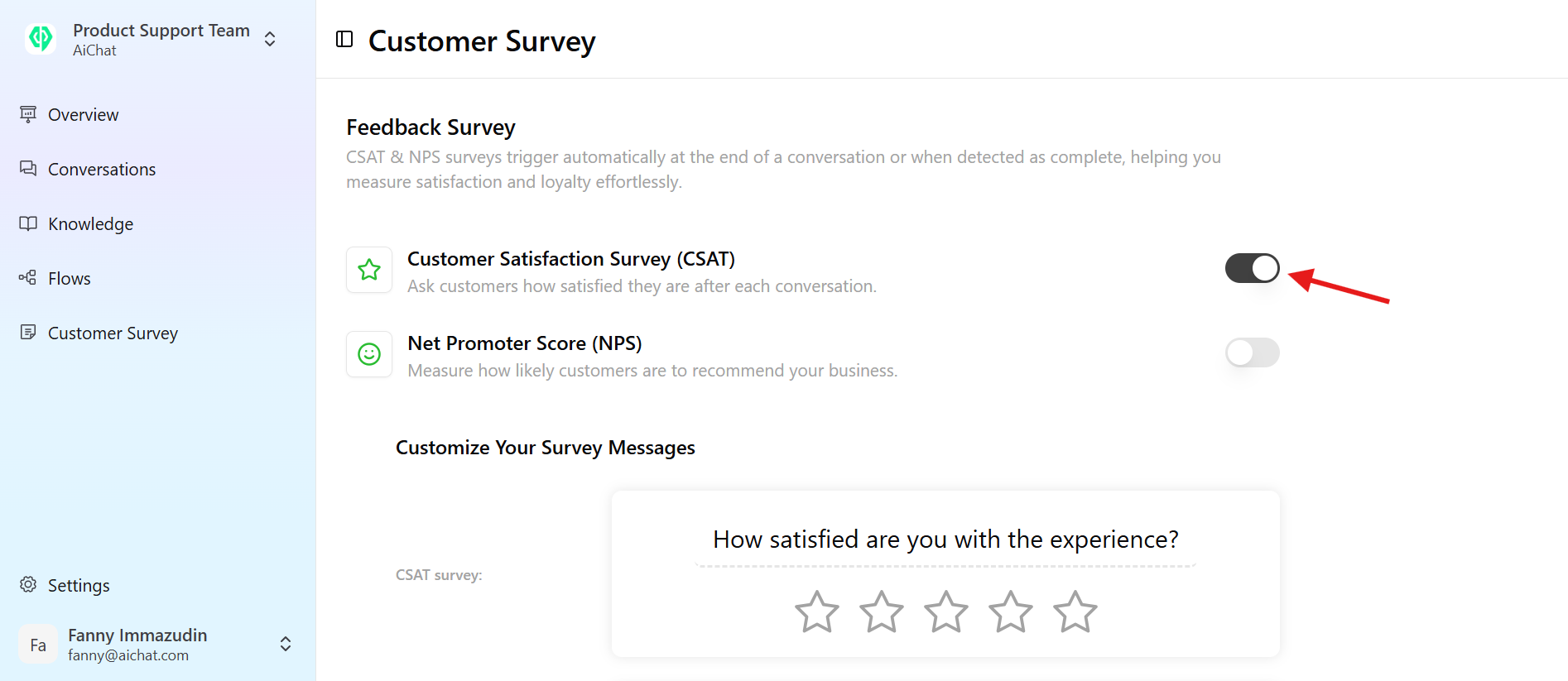
1. **Enable:** Click the **Enable** button/switch for both the Customer Satisfaction (CSAT) and Net Promoter Score (NPS) surveys.
2. *Note: Activating the surveys will make the customization options available.*
### **3. Activate the Surveys**
By default, both surveys are inactive and cannot be customized.
1. **Enable:** Click the **Enable** button/switch for both the Customer Satisfaction (CSAT) and Net Promoter Score (NPS) surveys.
2. *Note: Activating the surveys will make the customization options available.*
 **4. Personalize Survey Messages**
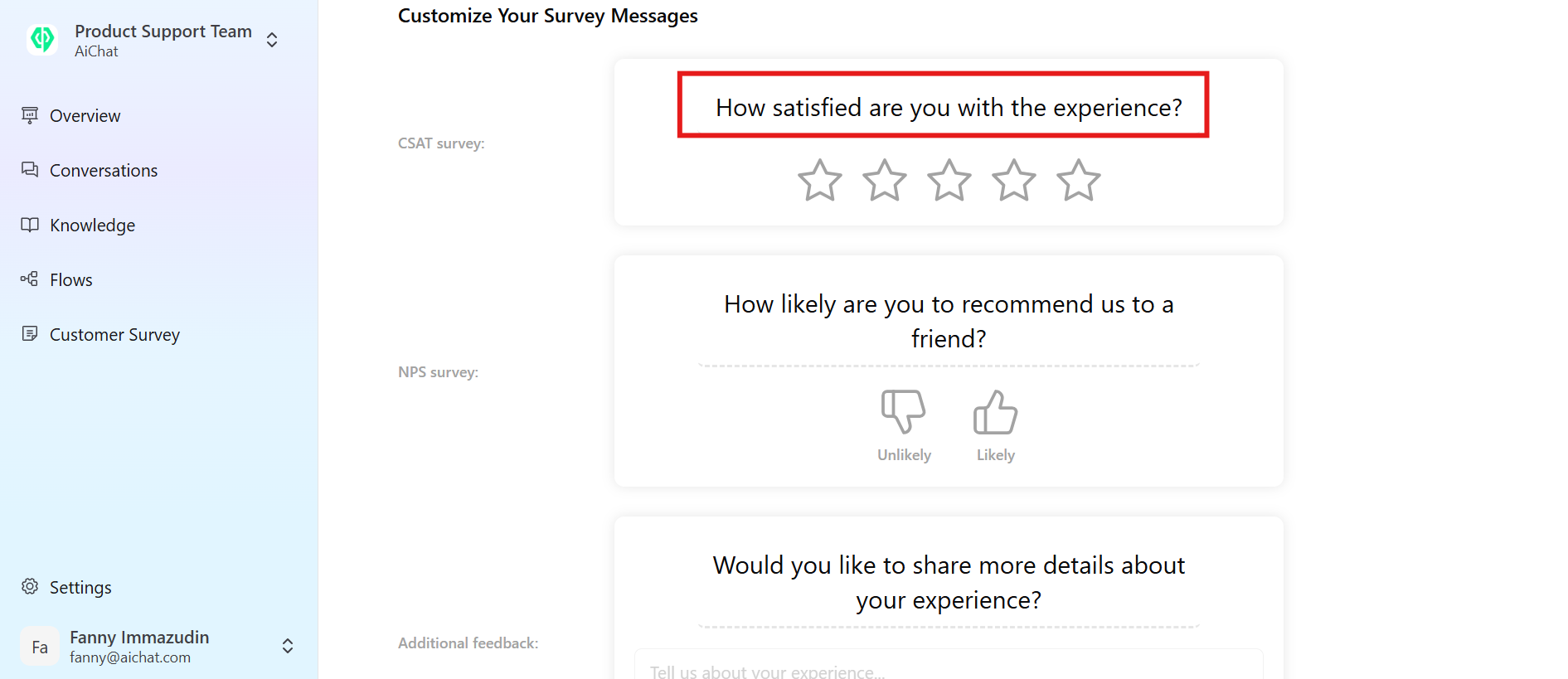
Once activated, the default survey messages will appear, allowing you to tailor them to your brand voice.
1. **Modify Text:** Edit the survey questions and accompanying text.
* **Tip:** Use clear, friendly, and concise language. Examples:
* "How would you rate your experience? It takes just a minute."
* "Did our support team meet your needs? Let us know with a quick rating."
* "Would you recommend us to a friend? Take a second to rate your experience."
2. **Review:** Ensure all questions and messages are clear and appropriate before proceeding.
**4. Personalize Survey Messages**
Once activated, the default survey messages will appear, allowing you to tailor them to your brand voice.
1. **Modify Text:** Edit the survey questions and accompanying text.
* **Tip:** Use clear, friendly, and concise language. Examples:
* "How would you rate your experience? It takes just a minute."
* "Did our support team meet your needs? Let us know with a quick rating."
* "Would you recommend us to a friend? Take a second to rate your experience."
2. **Review:** Ensure all questions and messages are clear and appropriate before proceeding.
 Here are some tips for a good survey messages:
1. How would you rate your experience? It takes just a minute.
2. Did our support team meet your needs? Let us know with a quick rating.
3. Would you recommend us to a friend? Take a second to rate your experience.
### **5. Finalize and Save**
**Save Changes:** After modifying the survey messages, click the **Save Changes** button.CSAT & NPS surveys trigger automatically at the end of a conversation or when detected as complete, helping you measure satisfaction and loyalty effortlessly. If they have been triggered once, the system will not trigger them again within the next hour.
Here are some tips for a good survey messages:
1. How would you rate your experience? It takes just a minute.
2. Did our support team meet your needs? Let us know with a quick rating.
3. Would you recommend us to a friend? Take a second to rate your experience.
### **5. Finalize and Save**
**Save Changes:** After modifying the survey messages, click the **Save Changes** button.CSAT & NPS surveys trigger automatically at the end of a conversation or when detected as complete, helping you measure satisfaction and loyalty effortlessly. If they have been triggered once, the system will not trigger them again within the next hour.