> ## Documentation Index
> Fetch the complete documentation index at: https://help.aichat.com/llms.txt
> Use this file to discover all available pages before exploring further.
# Product Catalog
> The Product Catalog feature enables businesses to showcase their products within the chatbot, making it easier for customers to explore and interact with available offerings.
The Product Catalog lets you show your products inside the chatbot so customers can easily browse and interact with your offering.
Use the catalog when your chatbot needs to:
* **Suggest Products:** Recommend items based on customer requests.
* **Compare Products:** Show features side-by-side to help with decisions.
This improves the shopping experience by making product discovery easier.
*Note: our catalogue provides a more meaningful structured way for AI to understand your product information vs crawling products directly from your website. You can use product catalogue for any types of products, including events, promotions.*
# How to Access
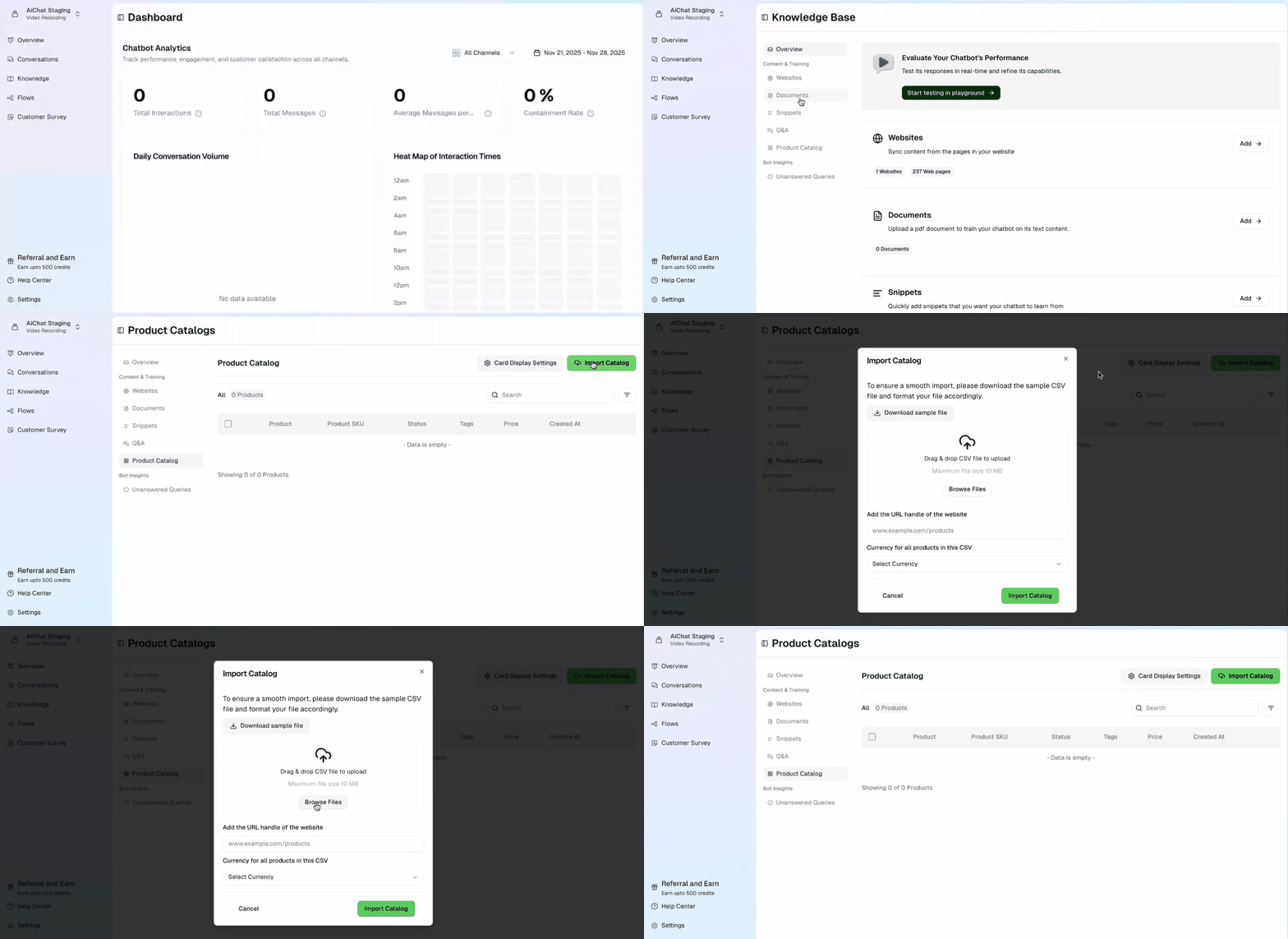
1. Go to **Product Catalog** in the left-side menu.
2. The dashboard shows your product list with details like **Name, SKU, Status, Tags, Price, and Date Created**. *(Note: The list is empty until you add products.)*
## How to Import Products (via CSV)
1. Click the green **Import CSV** button (top right).
2. A pop-up window will open.
3. **Download the sample file** first to ensure your file has the correct format.
4. Upload your CSV file:
* Drag and drop the file.
* *OR* Click **Browse Files** and select it.
5. *(Optional)* Enter your website's **URL handle** to link to product details.
6. Select the **Currency**.
Click **Import CSV**.
 **Product Display & Recommendations**\
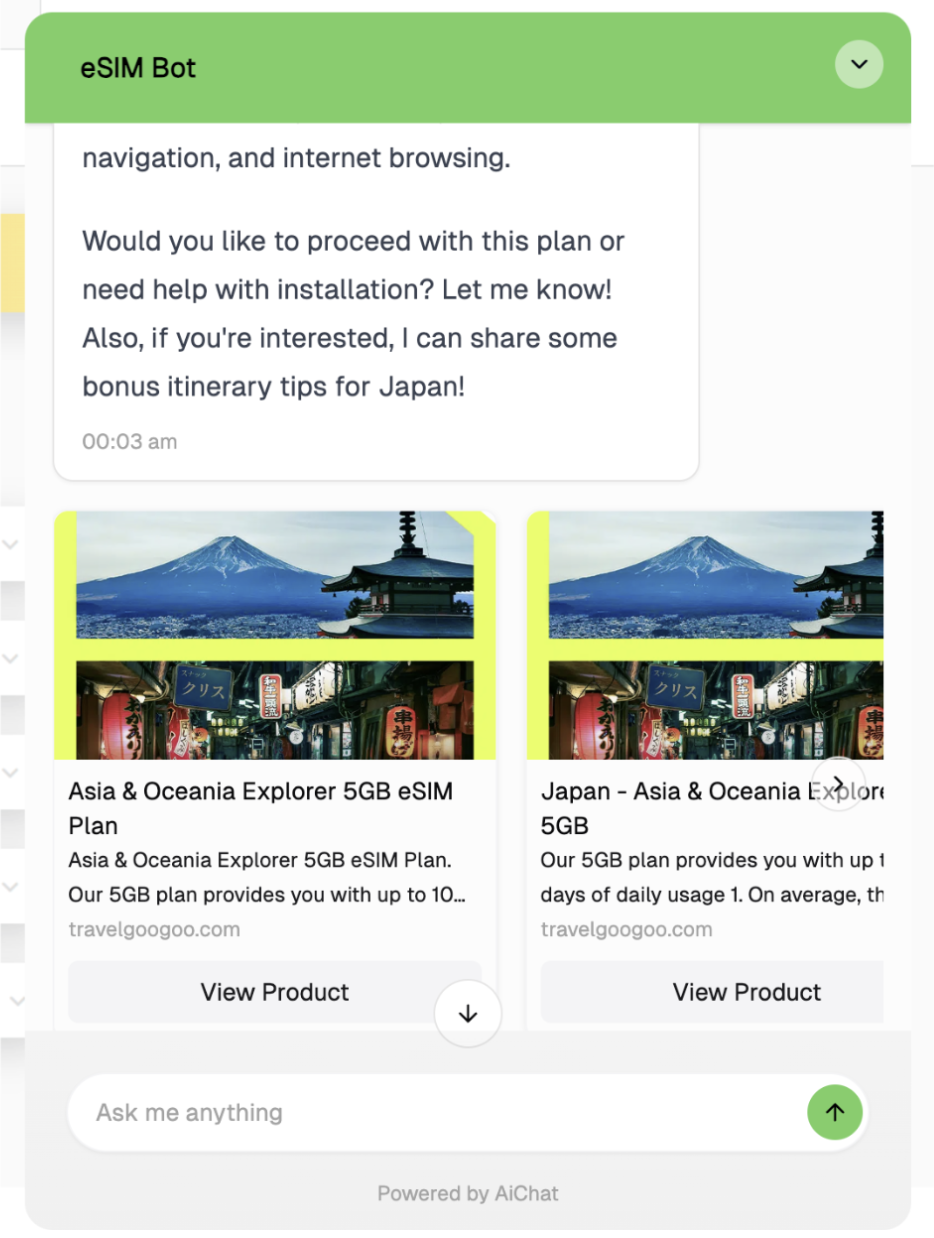
After you upload your product catalog, the items will appear in the system. The chatbot will then use customer questions to recommend products, showing users what's available and relevant.
**Product Display & Recommendations**\
After you upload your product catalog, the items will appear in the system. The chatbot will then use customer questions to recommend products, showing users what's available and relevant.
 ## Best Practices for Managing the Product Catalog
* Ensure CSV files follow the correct format using the sample file provided.
* Regularly update the product list to reflect stock availability and pricing changes.
* Use relevant tags to enhance product searchability within the chatbot.
* Optimize product descriptions to provide clear and concise details.
## Best Practices for Managing the Product Catalog
* Ensure CSV files follow the correct format using the sample file provided.
* Regularly update the product list to reflect stock availability and pricing changes.
* Use relevant tags to enhance product searchability within the chatbot.
* Optimize product descriptions to provide clear and concise details.